Central Asset Master System
What is ready, what is not, and why.
Fateen keeps one register of every aircraft, vehicle, well, generator and server the Organization runs — the parts installed in them, their condition, and the reports that changed it.
Runs inside the Organization’s network. Arabic and English.
| Asset | Status | Since |
|---|---|---|
|
TAIL-501
C-130H Hercules #501
|
S | 10 d |
|
TAIL-1201
Eurofighter Typhoon #1201
|
MAINT | 2 d |
|
TAIL-702
NH90 helicopter #702
|
U/S | 4 d |
|
TAIL-605
AW139 helicopter #605
|
S | 9 d |
|
SN-TXMOD-501
Radar transmitter · TAIL-501
|
U/S | 9 d |
Sample figures. Choose a fleet. Select a row to see why.
Every asset once, with everything installed in it.
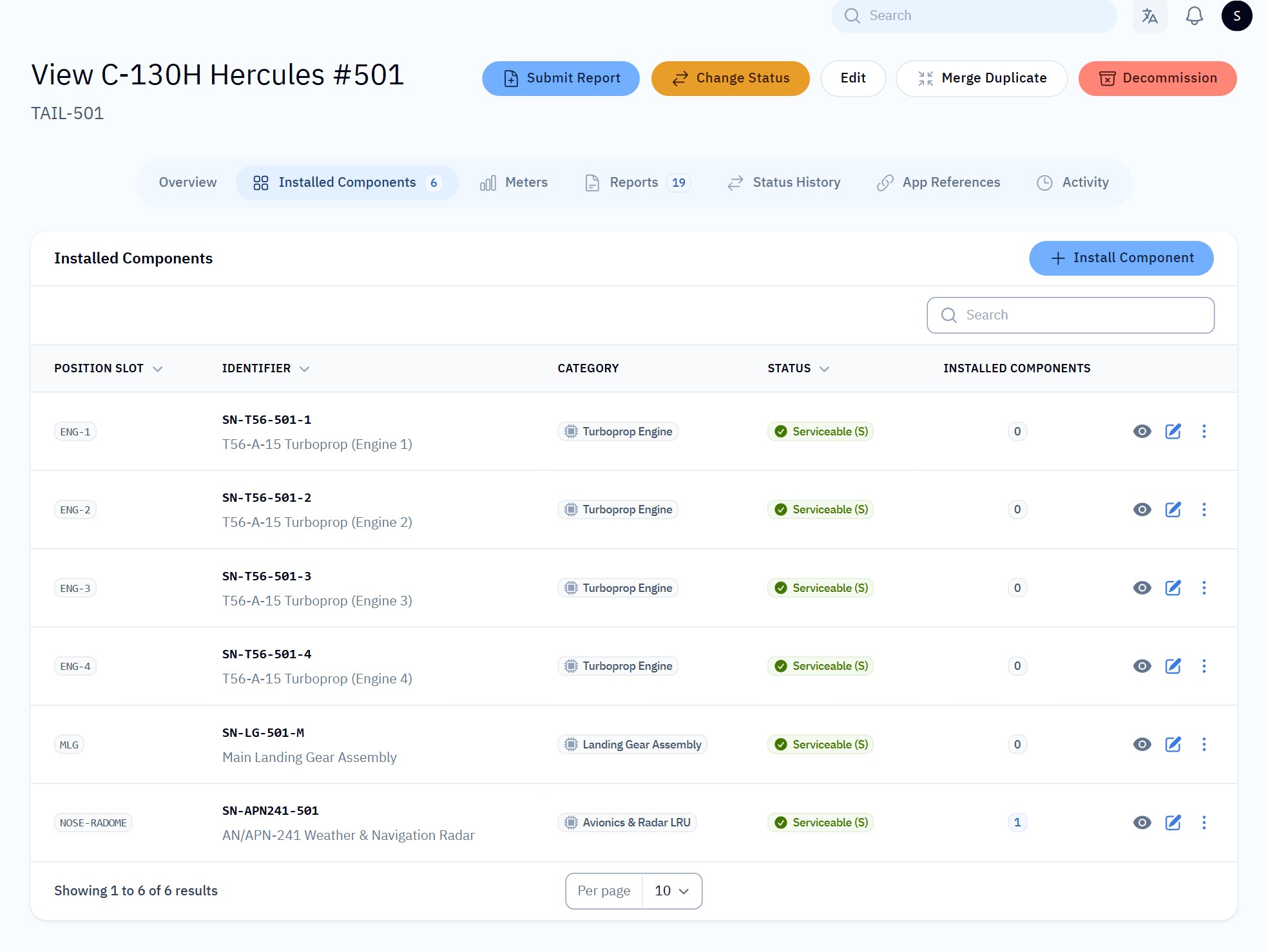
An aircraft is not one thing: it carries engines, landing gear and radar, each with its own hours and its own history. Fateen records the whole tree, so a fleet can look ready while one engine in it is not — and you can see which.
- a. One identifier per asset, matched however a system spells it: “TAIL 501”, “tail-501” and “TAIL501” are the same aircraft.
- b. Specifications defined per category, and meters that add up hours, kilometres, barrels or cost.
- c. Duplicates suggested for review, and assets registered by other systems held for an administrator’s check.
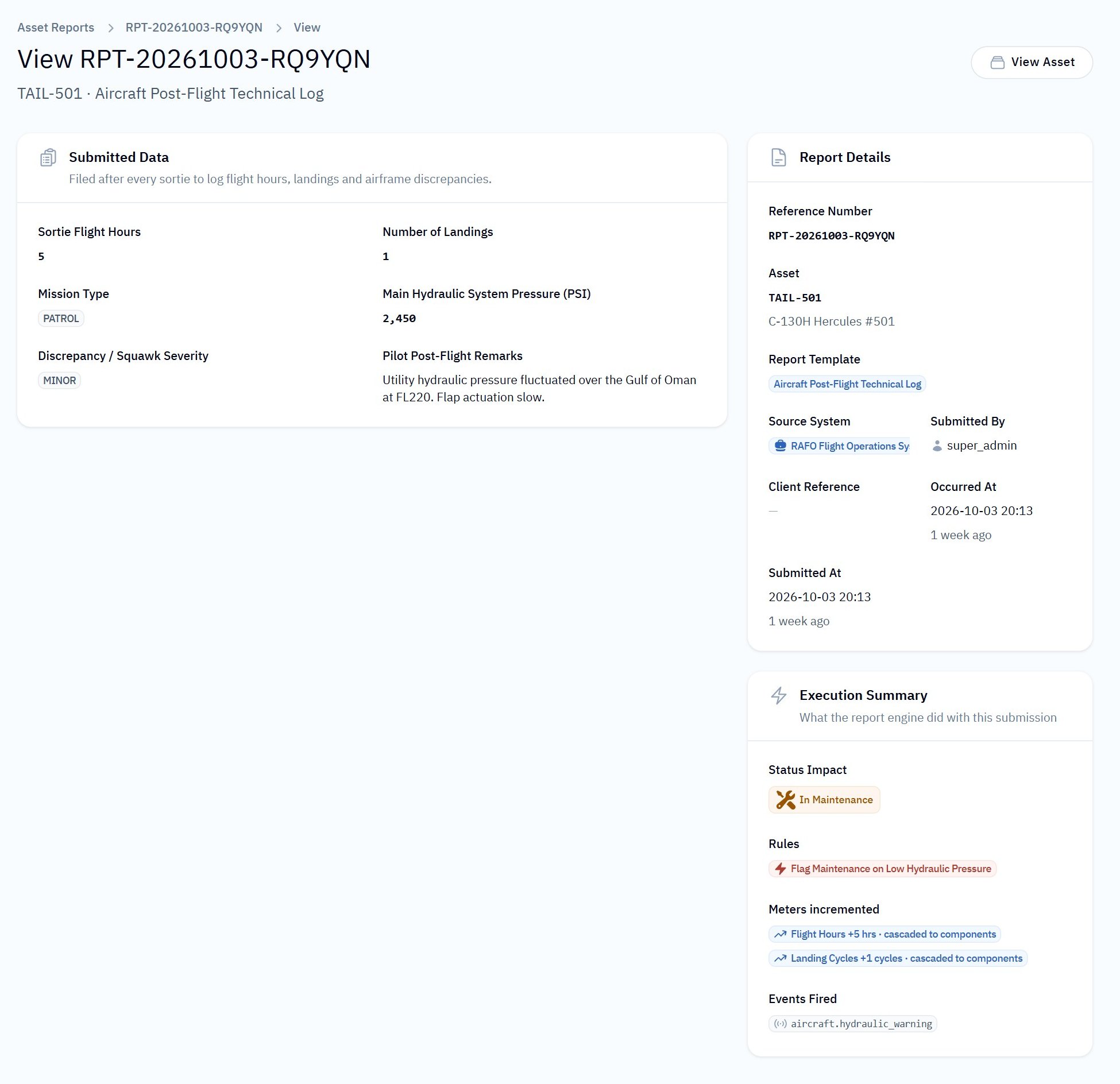
A report is filed. The status follows from it.
Systems and people send reports — a post-flight log, a daily well report, a work order. Each category has its own report forms and rules. When a rule matches, Fateen changes the status, writes down why, and tells the systems that care.
- 03:12 The production historian sends the daily report for well FH-OP-0103: the ESP tripped three times.
- 03:12 The rule “ESP trip makes the well unserviceable” matches.
- 03:12 The well becomes U/S. The reason, the report and the rule are recorded in its history.
- 03:13 The maintenance system receives a signed notification and opens a work request.
- 6 days later The work order is completed with its cost (18,500 OMR). The well is serviceable again.
Other systems keep their own work. Fateen keeps the shared truth.
Operations, maintenance, logistics and monitoring systems connect through an API built for machines that make mistakes and retry.
- Scoped access
- Each system sees only the asset categories and report forms it is allowed, with tokens limited to what it needs.
- Signed notifications
- Webhooks carry a signature and timestamp, and are retried; every delivery is logged.
- Safe retries
- A report sent twice is stored once. A mistyped filter is refused instead of returning everything.
- Address allowlists
- A system can be limited to its own servers’ addresses.
- Delta sync
- Systems ask for what changed since their last sync, not the whole register.
- Documentation
- Every endpoint is documented with examples, and a sandbox lets integrators practise safely.
Ask in plain Arabic or English.
Leaders who never open the dashboard can ask an AI assistant running inside the Organization. It answers from live Fateen data, only within the categories each person is allowed, and it cannot change anything.
- Runs with a local AI model — asset data does not leave the network.
- Read-only, limited to each user’s categories, and every question is logged.
- Says “Fateen does not record this” instead of guessing.
“Give me the overall status of the assets today.”
Readiness is 75.8% — 25 of 33 assets are serviceable. Four are unserviceable, including generator RAFO-THM-GEN-02 (low oil pressure) and helicopter TAIL-702 (chip light). Four are in maintenance.
Sample conversation based on the demonstration data.
Who can see what, and a record of everything.
Roles
Viewers, operators, asset managers, integration managers and administrators each see and do only what their role allows.
History
Every status change keeps its reason, its source and the report behind it. Every edit is in the activity log.
Inside the network
Designed for networks without internet: no external services, fonts or AI providers are required.
Two languages
The whole dashboard works in Arabic, right to left, and in English.
One place to ask “is it ready?”
Sign in with the account your administrator gave you.